ADPTR Metric AB - Changelog
Version 1.5.0 (Jul 29, 2026)
Feature Enhancements
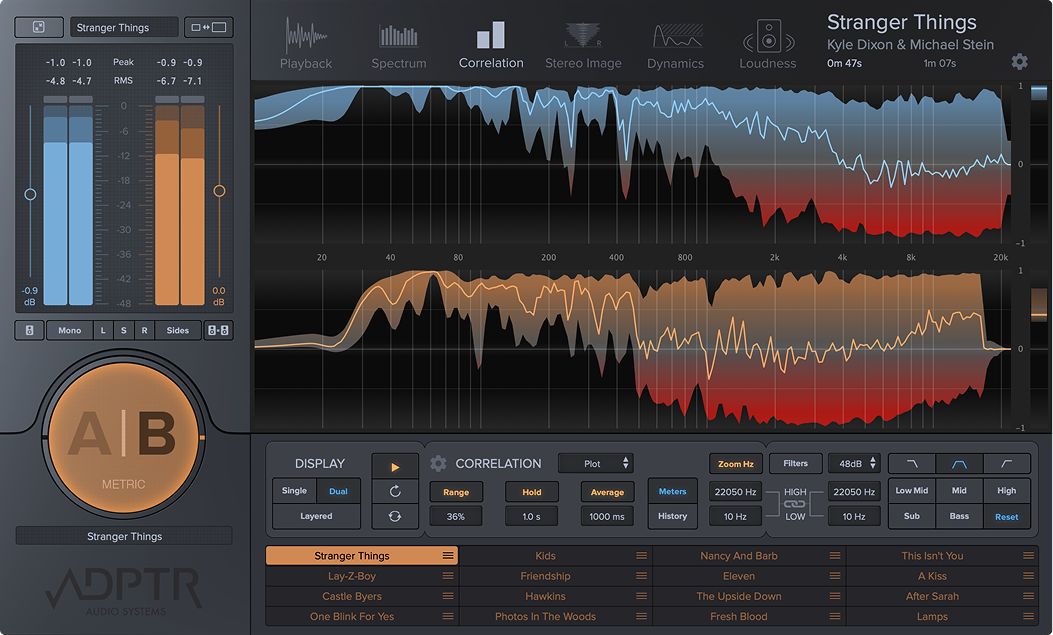
- Added Custom Views on Analysis pages : Single / Dual / Layered
- Added Toggle Filter on Analysis Graph : Click to hear Filter Range, drag and scroll to edit range
- Added Sync Mode : Global Start Offset - Set Start offset for all tracks in Global mode
- Added LUFS On Meters on Output Meter and Compact UI
- Added Ram Playback - for seamless looping of sections
Workflow Refinements
- Keep Current settings when swapping Track in Player (playback mode / cue and loop etc)
- LUFS Target on Meters - Better Visibility
- Hotspot on Track Slot Menu - Easier clicking
- Improved graphics drawing - Windows Direct 2d and Mac Core graphics
- Bar Graph Displays remain in fixed position when toggling streams
- Additional Filter Save Settings added to Filter menu
- Seamless looping for Reference tracks
- Improved Sync Mode Reference track Position when jumping on timeline
- Increased Resolution when Zooming on Waveform
Bug Fixes
- Fixed: Logic Screen sets - No more Black Bar when switching screens
- Fixed: Saved Preset Name is displayed as ‘Default’ when recalling a session
- Fixed: Save As displays current Saved Name in OS
- Fixed: Logic Crash when saving session
Version 1.4.1 (Nov 17, 2023)
- Added keyboard modifier for PDC sample editing
- Fixed: Crash when clicking Cue and Loop on an empty track
- Fixed: Latch mode behaves like Cue mode
- Fixed: Crash when loading audio files in Harrison MixBus on MacOS
Version 1.4.0 (Aug 4, 2023)
- Full native compatibility for Apple Silicon and MacOS 13 Ventura
UI
- Resizable UI (S,M,L,XL)
- Make Current UI size default option (via UI menu)
Analysis Graphs
- Re-Optimised graphics drawing system - faster and smoother than ever.
Sync Mode
- Sync mode now allows you to place a Cue marker to set the start point for playback - this allows you to select anywhere in the track to start the sync from.
Sync mode now detects invalid song position info and prompts you to start transport to set sync start position. i.e. works in Wavelab etc.
New : PDC Mode - for Hosts which do not report the correct plugin delay compensation to plugins - e.g. Logic PRO when bus tracks are enabled
Method - Click PDC button to open window, you will hear both A+B streams merged - edit the PDC time until you hear the tracks flanging in perfect sync, close PDC window and restart the transport
Loudness Meter and Matching
- Loudness Match buttons now on Compact view (next to Mono button under output meter)
- 4 Loudness Match modes -
A to B,
B to A
Match to target Loudness (you can set the default in the preferences page) - default is -14 LUFS
Match to track with the Lowest volume
Keep meters running when switching between analysis pages (dynamics / loudness)
- (previously Meters restarted when switching between pages)
click transport icon ’latch to DAW transport to active this
Dynamics Meter
- Dynamics metering option to keep meters running when switching between analysis pages
Analysis Modes (Spectrum / Correlation / Stereo Image). - P29 - Video
- You can now select graph types independently for each analysis page - e.g. Plot for Spectrum / Octaves for Correlation / Multi-Band for Stereo-Image
File Compatibility
- M4a audio file compatibility for Windows (Mac has had it since v1)
Filter Bank
- Filters have been re-designed to be more accurate and powerful
- Drag the filter range area with the mouse (left-right motion) to re-position/sweep frequencies
- Use the scroll wheel to edit the size of the filter range (minimum 1 octave - max full range)
- Use the drag ball to move the range (useful for when the range is very small, and you can use the scroll wheel to resize)
- Filter presets now remember last used settings (no need to save as default when switching between presets e.g. bass / mid / high)
- Fixed - high filter band was not correctly calibrated
- Fixed - filters were reducing the volume of the audible range
Organisation -
- Folders for Preset organisation
- Create and save to presets from the preset menu.
- Create and browse presets in user folders.
- Remove Missing Files command on Missing Files menu
Settings and Behaviour
- Revert to A stream when closing plugin (Settings / Default)
MIDI parameters
- All automation parameters are now available to MIDI controllers (previously some parameters were not available in some DAWs)
Loop Markers
- Added - Reset marker to max - right click inside loop region and select
- Added - Delete loop marker - right click on loop marker and select
Text Support for Audio files
- All text now rendered for better clarity / resizing
- Global Languages Character support for audio file names
- Hover over track slot to scroll full name on display (great for long track names which are truncated)
Fixed
- Fixed - Correlation Window gets stuck on Windows
- Fixed - Filter bank Filter slope does not update user preference / load user default
- Fixed - Youtube Loudness preset now -14 LUFS
- Fixed - Tidal Loudness preset now -14 LUFS
- Fixed - Incorrect Latency reporting of 1 sample (found on v1.3)
- Fixed - Spectrum dB/Hz popup on graph was not always visible (Mac only)
- Fixed - dB range on spectrum analyser can now be set to +36dB (was locked at 0dB on v1.4)
the default should be +36dB - Test - Drag edit Zoom dB between 0 and +36 dB -
- Fixed - Loudness Meters did not update when switching to Hi-Resolution mode (0-18 LUFS)
- Fixed - Cue Select buttons now transmit Automation data and Smart Controls
- Fixed - FFT Weighting now only changes Spectrum Plot mode (previously applied to all bar graphs)
- Fixed - Spectrum Bar Graphs callibrated flat to Pink Noise
- Fixed - FFT Weighting - now only applies to PLOT mode (previously applied to all bar graphs incorrectly)
- Fixed - Crashes due to ‘can’t locate missing file’
Version 1.3.0 (May 14, 2021)
- Fixed waveform calculation failing in Studio One 5
- Added OpenGL user setting for Windows version
- Fixed decibel zoom not working for some spectrum plot modes
- Fixed a potential crash during session launch
- Offline bounce now compensates for latency correctly (when graphics latency enabled)
- Offline boounce now passes A stream to the output when B selected
Version 1.2 (Feb 28, 2020)
- Added notarization support for macOS Catalina
- Fixed preset incompatibilities with 1.1.0
- Fixed default user settings being reset after launching a new instance of the plugin
- Corrected version number in plugin alliance Toolbar
- Settings window tidy up
- Fixed potential crash when validating the plugin in Logic
Version 1.1 (May 20, 2019)
- Fixed a host crash when moving files to a different location
- Fixed Metric AB crashes when starting playback of a song in Studio One
- Fixed Metric AB crash in Propellerhead Reason
- Fixed MP3s not getting loaded in Reference Track
- Added 'Presets' sub menu for quick access to user presets
- Added latency compensated graphics rendering option
- Added A and B stream master faders
- Added 36dB and 48dB filter slopes
- Added drag and drop track re-ordered in the playlist
- Added 'Organise Tracks' menu option
- Added 'Apply Current Playback Mode Globally' menu option
- Added infinite average mode
- Added current playhead position time readout
- Added cue and loop marker position time readouts
- Added 'Import Folder...' to load entire fodler of audio tracks at once
- Added frequency marker readout and cross hairs for mouse position on analysis graphs
- Added selecting B track toggles A/B button state
- Added large dynamics target PSR meter readout panel
- Improved compatibility with some MP3 files
- Filter parameters now exposed to host for automation purposes
- Cue points can now be clicked on the waveform overview
- Latch mode playback now starts from the active cue point after a preset or session has been loaded
- Analysis metrics are now computed with loudness match gain applied
- Analysis meter hold times now settable down to .1 second
- Expanded settings and default preferences page
Version 1.0 (Sep 4, 2018)
- Release version