

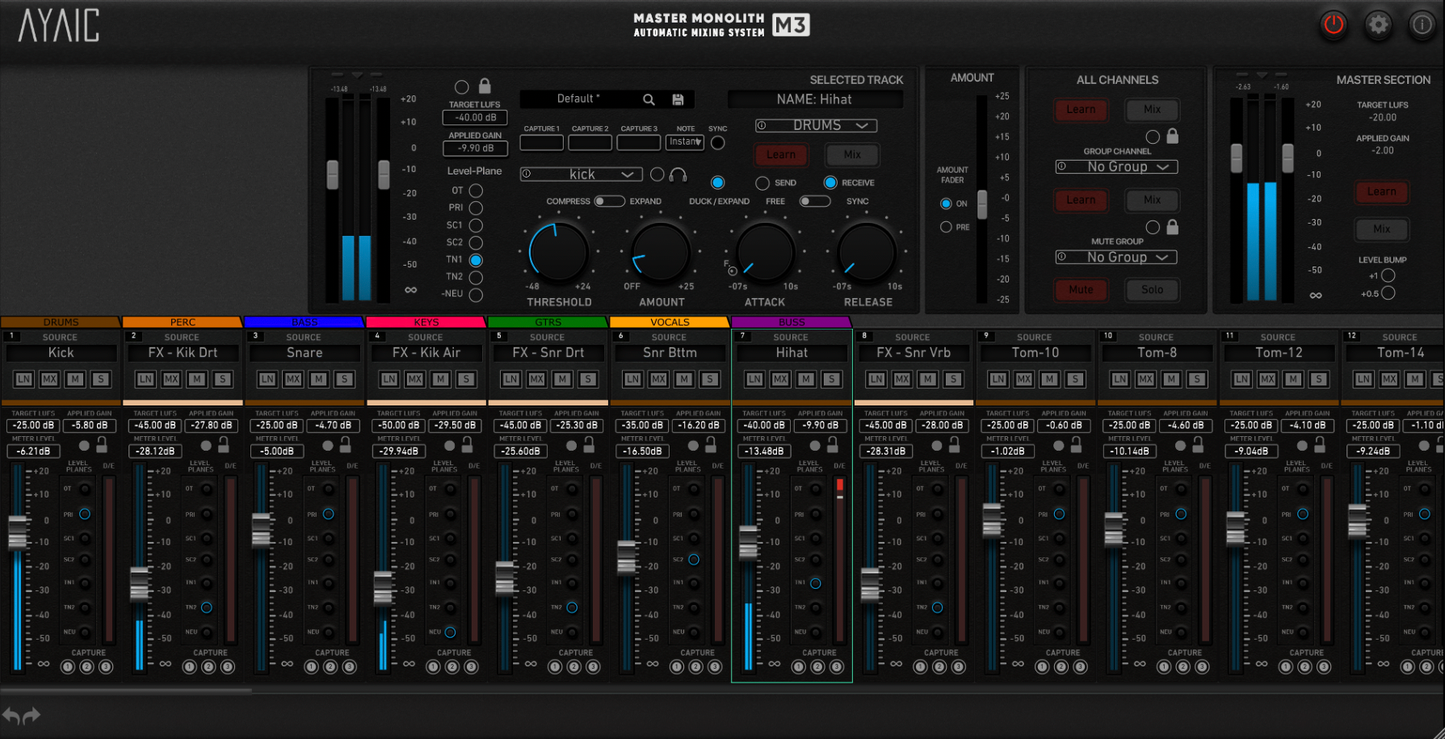
M3 Master Monolith Mixer v2.0
This plugin is made available on Plugin Alliance in collaboration with our external partners as part of an exclusive limited-time offer. As such, the plugin is not included in any of our subscription bundles (CORE or PRO), and Plugin Alliance Loyalty Vouchers cannot be used in conjunction with this offer.
Balance your mixes automatically
M3 is a new and advanced, alternate version of the legendary Mix Monolith automatic mixing system plugin that allows you to level your tracks perfectly in any environment with the clever use of level-planes.
The latest v2.0 provides a range of further enhancements to make your workflow and integration with your DAW more seamless than ever.
The original Mix Monolith has won legions of industry fans for it's almost magical ability to help you quickly and easily arrive at a mix that is balanced and open.
M3 takes the revolutionary principles behind the original Mix Monolith and changes up the format with new features to provide the Monolith magic in a more traditional mixing experience. So it not only gives you all of the great Monolith features you might be used to, but adds enhanced features like unlimited channels and automation lanes, fader gain display, three gain capture buttons, individual channel Mute/Solo, and an expandable mixer to fit your workspace.
Whatever your style and workflow approach, there's now a Monolith to suit your particular way of working.
Whether you are a producer, mix/mastering engineer, musician or singer/songwriter, the M3 Master Monolith Mixer will provide a significant boost in your journey to creating professional mixes in a fraction of the time and effort it might normally take.
Formats
AAX, AU, VST2, VST3
Mac
MacOS 10.10 through 26.0
Intel Core i3 / i5 / i7 / Xeon / Silicon M1/M2[nbsp] (minimum 2 GHZ recommended)
PC
Windows 7 through 11
Intel Core i3 / i5 / i7 / i9 / Xeon / AMD Quad-Core or newer
Features
- Unlimited Monolith modules with color coding and click-drag module re-arranging
- Individual track automation capabilities
- Modules automatically use DAW track name when loaded
- Faders display applied gain settings
- Level-plane buttons (for quick level-plane jumps)
- 3 Gain Capture buttons per module with host BPM sync
- Individual module and Group Mute/Solo
- Group and All Channels Learn/Mix/Lock
- "Self" Duck/Exp feature (element feeds its own duck/exp group)
- "Fader Follow" Duck/Exp amount (for creating level-riding automation)
- Master channel level-bump buttons (+.5dB & +1dB)
- Expandable mixer to fit your workflow
- New in v2.0: Numbered modules
- New in v2.0: Stable module positioning
- New in v2.0: Group tabs to hide/unhide groups of modules
- New in v2.0: Infinite color palette w/original sub-palette
- New in v2.0: Designated "Amount" fader with pre-fader select
- New in v2.0: Order modules by DAW
- New in v2.0: Level-plane button selection
- New in v2.0: Satellites have Target LUFS/Learn/Mix controls
- New in v2.0: Free-scale sizing